The Advanced Analysis page is where the real KOM hunting happens, so we rebuilt it around one question: can I take this KOM, and what would it actually take? Less scrolling, fewer cards, more answers.
What changed
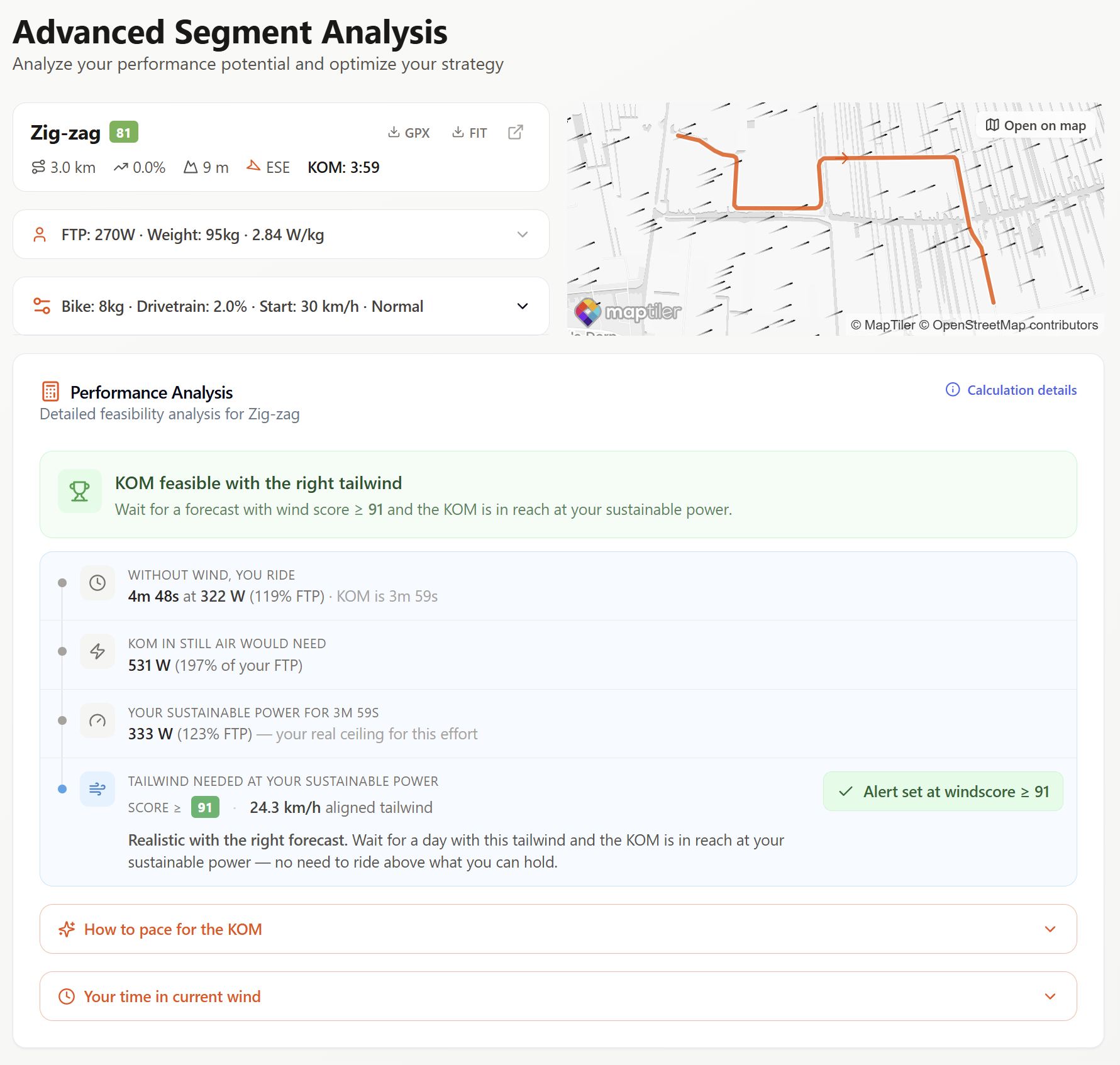
- Compact segment header. Name, wind score, length, grade, elevation, bearing, KOM time, GPX/FIT export and an open-on-map link are now in a single row at the top.
- Inline wind map. The segment line and live wind arrows sit right next to the header, no more scrolling to see what the wind is doing on the road.
- One feasibility verdict. A single banner tells you whether the KOM is in reach, hard but possible, or out of range, with the specific wind score you need to wait for.
- Stacked four-row breakdown. Time without wind, KOM power in still air, your sustainable power for the effort, and the tailwind you'd need at that sustainable power, each on its own row so the chain of reasoning is obvious.
- Alert toggle inline. Setting an alert for the wind score you need is now one click from the analysis itself.
- Collapsible deep-dives. “How to pace for the KOM” and “Your time in current wind” are now collapsed by default so the page opens to the verdict, not a wall of numbers.
Why it matters
The old page asked you to read three or four cards before you knew whether a KOM was on the table. The new layout puts the answer at the top and lets you drill into pacing, current-wind timing, or the full power curve only when you want to. It's the same model under the hood, just a much shorter path from segment to plan.