After the phone got its own app, the desktop was the one still showing the old cards and tables. Now every desktop screen has been rebuilt the same way: the answer first, the details one click away.
What changed
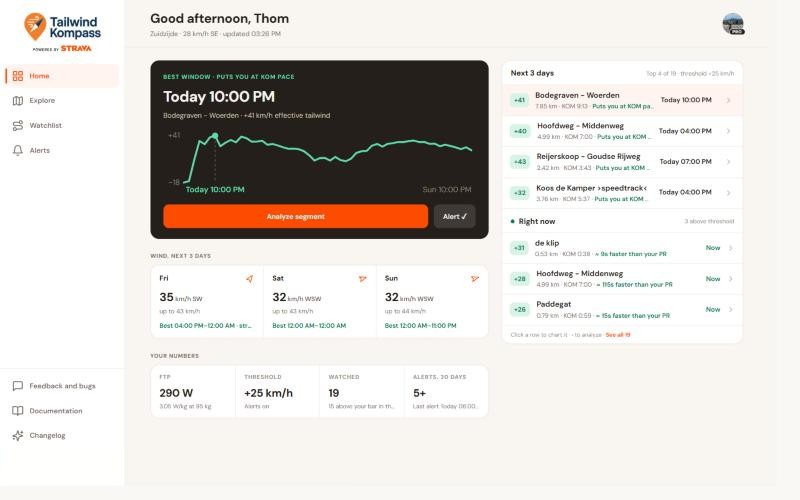
- Home leads with the best window of the next three days on one of your segments, with its tailwind over time. Below it: the wind for each day, your numbers, and which segments are in reach right now.
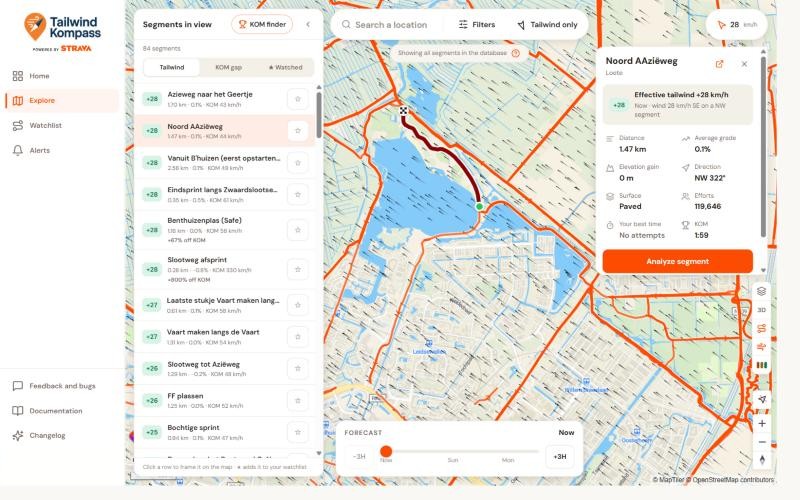
- Explore keeps a list of the segments in view beside the map, sorted by tailwind. Click one and it lights up on the map with a start and finish marker, and its details open under the wind card, without the map flying away. On a smaller window the list folds into a button first, then the wind card.
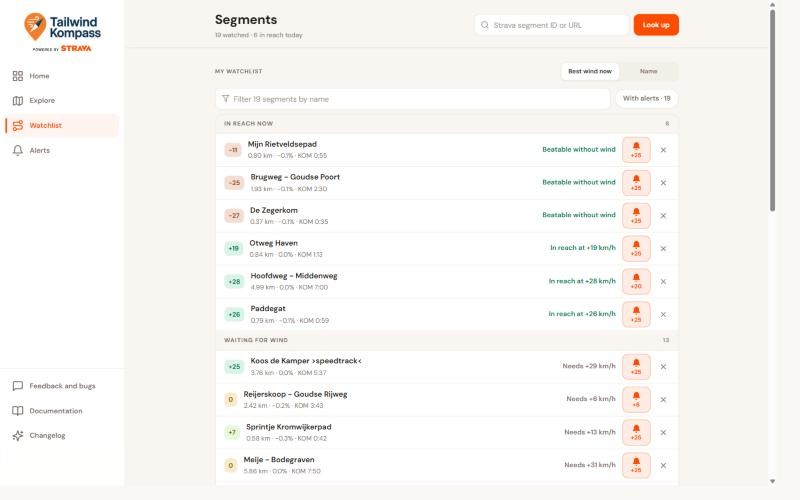
- Watchlist sorts your segments into in reach now and waiting for wind, each with the tailwind it needs, worked out the same way as the analysis. The bell on a row opens its alert, with a button to set it to exactly the wind you need.
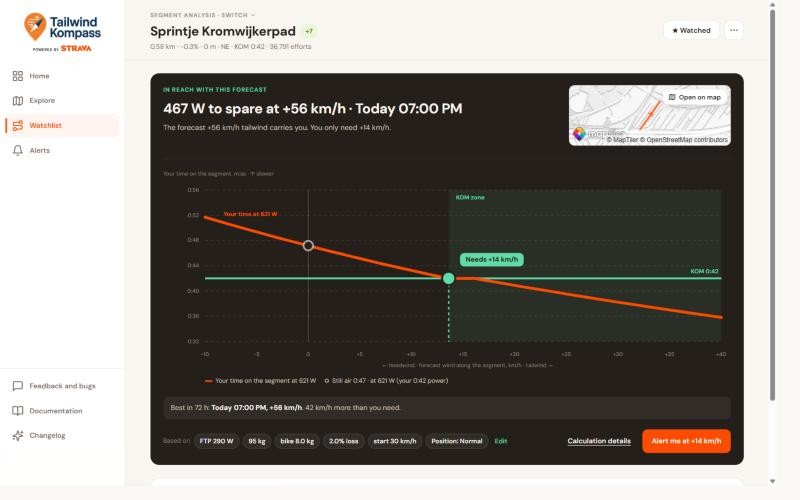
- Analysis opens with a verdict, then a chart of your time against the wind: where it crosses the KOM line is the tailwind you need, and the best forecast of the next 72 hours is marked on it. Hover the chart to read any wind.
- Alerts and Settings are one scrolling page each, with every setting in a single row.