Knowing the average power you need to hold to beat a KOM is one thing. Knowing how to actually pace it on the road is another. The new pacing plan in the Advanced Analysis page closes that gap by turning a goal time into a kilometre-by-kilometre script you can ride to.
How it works
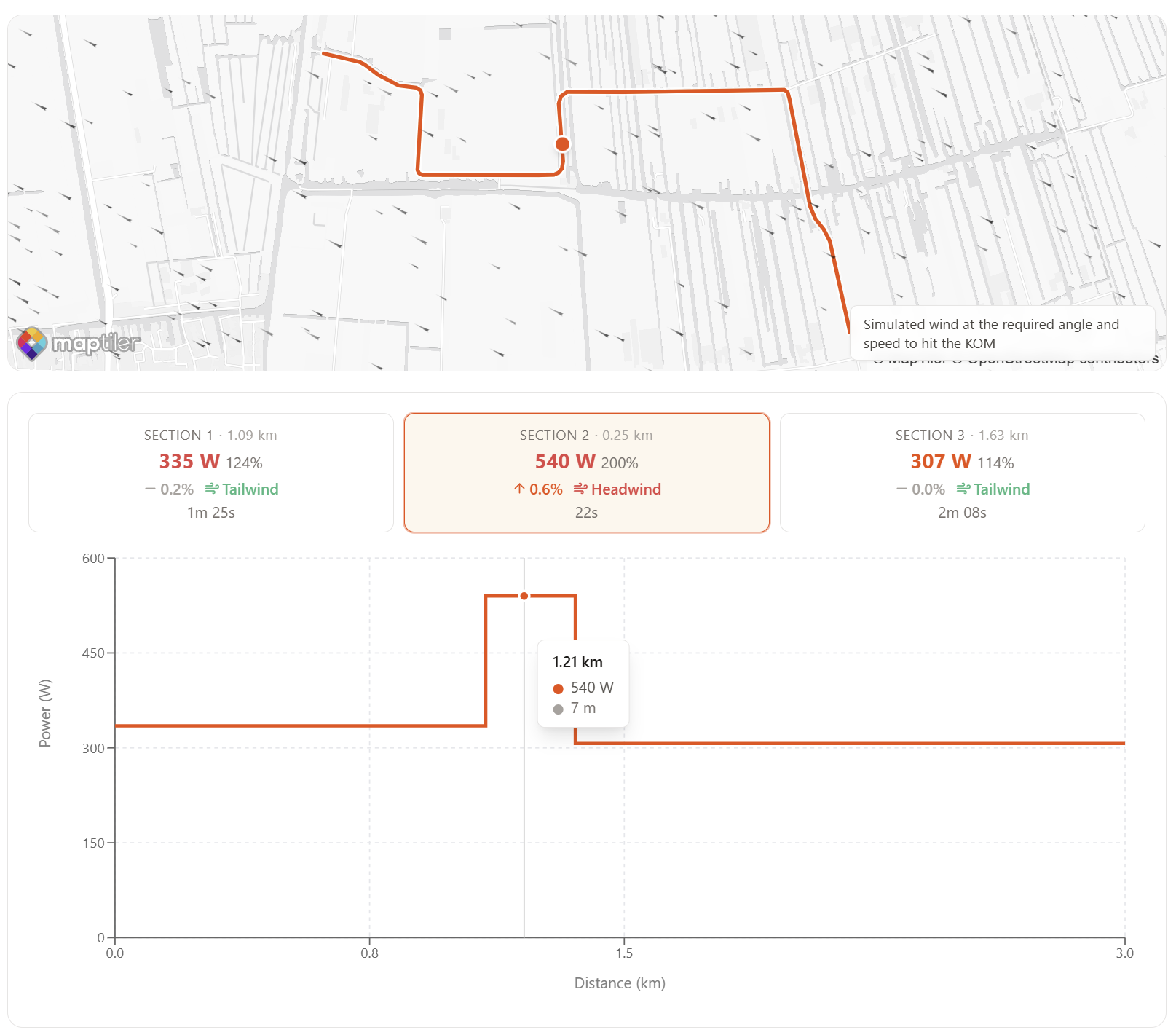
Pick a segment and set a target time (or aim straight at the KOM). KOMpass splits the segment into evenly spaced sections, then solves for a single constant target speed across the whole segment. For each section it works out the power you need to hold that speed given the local gradient and the effective wind component along the road: headwinds cost extra watts, tailwinds give them back.
What you see
- A section-by-section table with distance, average gradient, target speed and target power.
- A pacing chart overlaying the elevation profile with required wattage per section, so the hard punches and the recovery dips are immediately obvious.
- A mini map of the segment with each section coloured by effort, making it easy to associate a section in the table with a specific stretch of road.
Why it's useful
KOM efforts are rarely won by riding a flat number. Constant speed means variable power, and the pacing plan tells you exactly where to spend matches and where to back off. Combined with the wind forecast and your FTP, it's the closest thing to a pre-ride briefing for the segment.