Until now every “your time” and “tailwind you need” number keyed off little more than your FTP, your weight, and a single average gradient. That left real accuracy on the table, so we've made three changes that, together, make the estimates meaningfully sharper.
Your body size now shapes aerodynamic drag
On flat and rolling segments, pushing air is the dominant cost, and how much air you push depends on how big you are. Estimates now derive your aerodynamic drag (CdA) from your weight, and tighten it further if you add your height. A 60 kg climber and a 95 kg rouleur in the same position no longer share one drag number, which on a flat segment can be the difference between needing a +8 and a +22 km/h tailwind to take the KOM.
Rider type tunes short, punchy efforts
For sprints and short climbs, your finite anaerobic battery (W′) matters far more than your one-hour power. Pick Sprinter, All-rounder, or Climber and we set a sensible W′ and a realistic peak-power ceiling for you, replacing the old one-size-fits-all guess that made every short segment look the same regardless of whether you're a fast-twitch sprinter or a diesel.
Estimates now read the actual hill
The headline numbers (your time, the watts the KOM demands, and the feasibility verdict) used to flatten the whole segment into one average grade. On a climb-then-descend profile that was up to ~25% over-optimistic. They now walk the real elevation profile section by section, so they agree with the pacing plan instead of contradicting it.
Where to set it
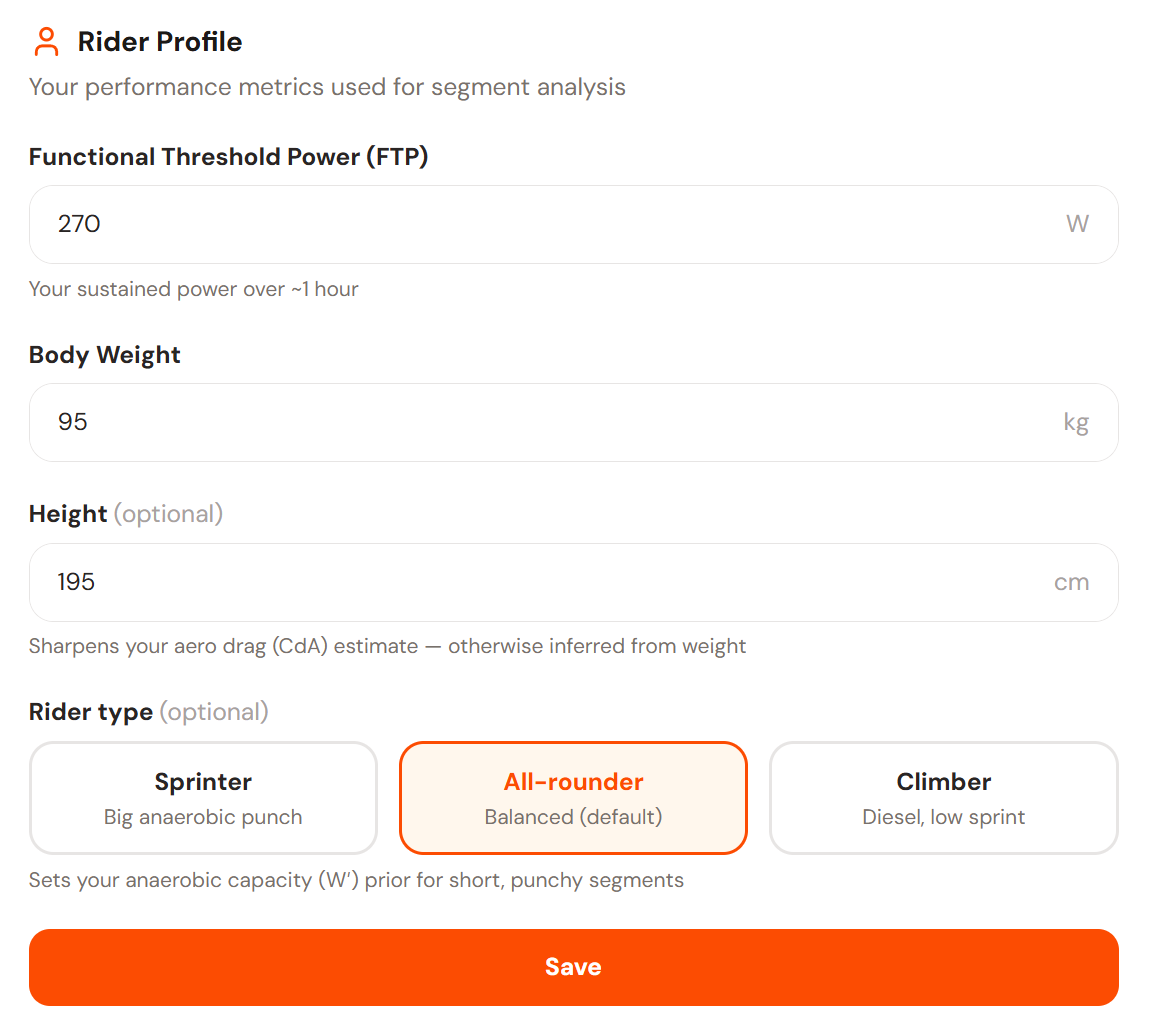
- Height and rider type live under
Settings → Rider Profile(and the profile panel on the Segments page). Both are optional: leave them blank and we infer height from weight and assume an all-rounder. - The advanced-settings panel now shows your effective CdA (e.g. CdA 0.39, from a 0.35 base × 1.11 for your size), so you can see how position and body size combine.
- The
Calculation Detailspage breaks down every input that feeds the estimate.
Because the physics is more rider-specific now, your numbers may shift a little versus before, and that's the point. Existing estimates keep working with the defaults; adding a height and picking a rider type just makes them more honest.